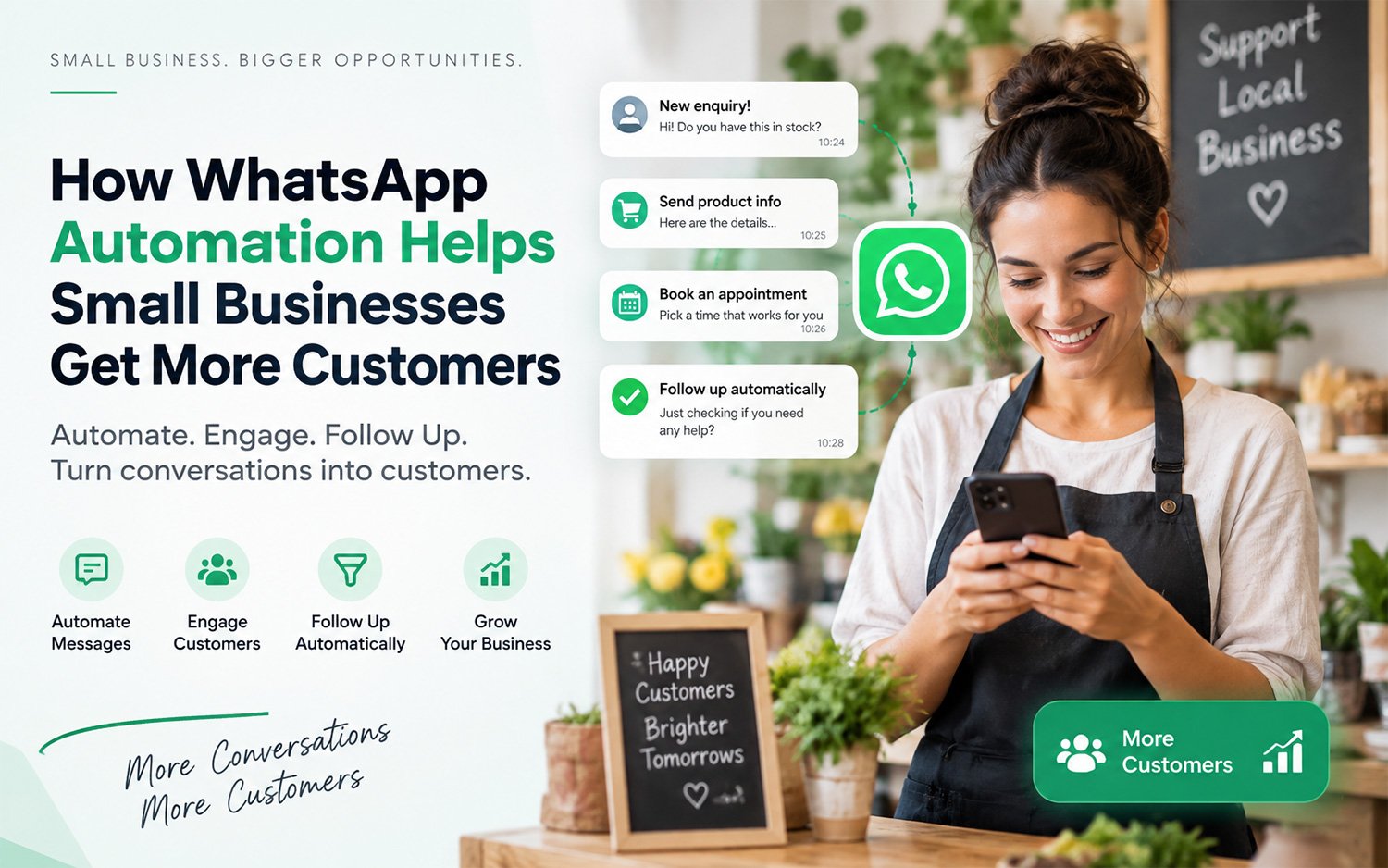
For many small businesses, getting a customer enquiry is not the difficult part.
The difficult part is what happens after the enquiry.
A customer asks for a price on WhatsApp. You reply when you get time. They ask for a quotation. You get busy with another customer. You remember to follow up two days later but by then, they may have already contacted someone else.
This happens every day in businesses such as interior design, home services, real estate, salons, coaching, repair services, retailers, wholesalers and professional services.
WhatsApp has become an important channel for these customer conversations. WhatsApp Business itself provides small businesses with tools to organize conversations, respond quickly and automate certain customer messages.
But simply being available on WhatsApp isn’t the same as having a WhatsApp sales process.
That is where WhatsApp automation for small businesses can make a difference.
In this guide, we’ll look at how businesses can use WhatsApp to attract customers, respond to enquiries, follow up consistently and make everyday business communication easier without turning every customer conversation into a complicated technical project.
Why WhatsApp Matters for Small Businesses
A small business usually doesn’t have a large sales or customer-support team.
The owner might be handling:
Customer enquiries
Quotations
Orders
Payments
Staff
Suppliers
Deliveries
Marketing
Follow-ups
At the same time, customers expect quick answers.
This creates a common problem: the business gets enquiries, but doesn’t have a reliable system for managing them.
WhatsApp is already familiar to customers, which makes it a natural communication channel for many small businesses.
Indian MSME programme research also shows significant use of WhatsApp among businesses. For example, one Ministry of MSME RAMP state report found WhatsApp was the most utilized digital/social platform among surveyed MSMEs in that region. Another report noted that lack of time and expertise can prevent MSMEs from fully using social media for business promotion.
The opportunity isn’t necessarily to send more messages.
It is to make the messages you already need to send more organized, timely and useful.
What is WhatsApp Automation for Small Businesses?
WhatsApp automation for small businesses means using WhatsApp Business features or connected business tools to handle repetitive customer communication and follow-up more efficiently, while keeping important conversations available for human interaction.
Depending on the setup, automation can help with tasks such as:
Sending an initial greeting or acknowledgement.
Providing frequently requested information.
Sharing product or service details.
Sending quotations or business documents.
Following up after an enquiry.
Reminding customers about appointments or pending actions.
Re-engaging previous customers.
Organizing customer conversations and information.
Sending promotional or informational messages to customers who have opted in.
WhatsApp Business already includes features such as business profiles, messaging tools and ways to organize customer communication. Some newer business messaging and AI features are also available only in selected markets or to eligible businesses, so businesses should choose their setup based on their actual requirements rather than assuming every feature is available to everyone.
The important point is this:
Automation should remove repetitive work—not remove the human relationship from your business.
The Real Problem: Small Businesses Often Don't Follow Up
Imagine a customer contacts an interior designer:
“I want to renovate my 2BHK. What will it cost?”
The business responds:
“Sure. Please share your requirements.”
The customer sends the details.
The designer gets busy.
Two days pass.
No quotation.
The customer contacts another designer.
Nothing went wrong with the business’s service.
The business simply didn’t follow up at the right time.
This is one of the biggest opportunities for WhatsApp automation.
A good follow-up process can remind the business that:
A new enquiry came in.
A quotation was requested.
A customer hasn’t responded.
A previous customer may be ready to buy again.
An appointment is approaching.
A payment or order action is pending.
The objective isn’t to bombard customers with messages.
The objective is to make sure genuine opportunities don’t disappear simply because someone forgot to follow up.
6 Ways Small Businesses Can Use WhatsApp to Get More Customers
1. Respond Quickly to New Enquiries
The first interaction can strongly influence whether a customer continues the conversation.
A business can use WhatsApp Business tools to provide an initial response or greeting while the owner or team prepares a proper reply. WhatsApp specifically provides messaging tools designed to help businesses respond more quickly.
For example:
“Thanks for contacting ABC Interiors. Please tell us whether you’re looking for a new interior, renovation, modular kitchen or consultation. We’ll get back to you shortly.”
This doesn’t replace the salesperson.
It simply prevents the customer from feeling ignored.
Better approach
Use automation for the first layer of communication, then move the customer to a human conversation when the enquiry requires discussion.
2. Follow Up After Sending a Quotation
This is one of the simplest and most valuable WhatsApp workflows for a small business.
Consider a customer who receives a ₹50,000 quotation.
Many businesses send the quotation and wait.
A better process could be:
Day 0: Send quotation.
Day 1–2: Check whether the customer has questions.
Day 3–5: Send a useful follow-up.
Later: Follow up again if appropriate.
The message shouldn’t simply say:
“Any update?”
Instead, make it useful:
“Hi Rahul, just checking whether you had a chance to review the quotation. If you’d like, I can also explain the options included in it or make changes based on your requirements.”
That’s a conversation—not spam.
3. Turn Product Information into a Conversation
Customers often ask the same questions repeatedly:
What is the price?
What sizes are available?
Do you deliver?
What services do you provide?
Where are you located?
How long does delivery take?
Can you customize it?
Instead of rewriting the same answers every day, businesses can create structured information that is easy to share through WhatsApp.
For product-based businesses, this might include:
Product catalogue
Images
Prices
Descriptions
Offers
Availability
For service businesses, it might include:
Service packages
Starting prices
Process
FAQs
Before/after examples
Consultation details
WhatsApp Business supports business profiles and messaging tools, while WhatsApp’s broader business ecosystem also supports customer discovery and shopping experiences where available.
The easier it is for customers to understand what you sell, the easier it becomes for them to take the next step.
4. Make Quotations Easier to Create and Share
For many small businesses, the quotation process still looks like this:
Customer enquiry → Write details somewhere → Create quotation manually → Export PDF → Find customer number → Open WhatsApp → Attach PDF → Send
That is a lot of work for a simple sales activity.
A business tool that connects quotation creation with WhatsApp sharing can reduce this friction.
For example:
Customer enquiry → Create quotation → Share directly with customer
This becomes particularly useful for businesses such as:
Interior designers
Contractors
Repair businesses
Event planners
Digital agencies
Consultants
Manufacturers
Wholesalers
Home-service providers
The goal isn’t just to make a prettier quotation.
It’s to shorten the distance between enquiry and action.
5. Send Payment Requests at the Right Stage
Getting the customer to say “yes” isn’t always the end of the sales process.
There may still be:
Advance payment
Booking amount
Invoice
Balance payment
Order confirmation
A business can use WhatsApp to keep these steps connected to the customer conversation.
For example:
“Your quotation has been approved. Here’s the advance payment request to confirm your booking.”
This creates a much smoother customer journey.
Instead of asking customers to switch between multiple channels, the business can keep important communication in a channel they already use.
6. Re-Engage Previous Customers
Not every sale needs to come from a completely new customer.
A previous customer may:
Buy again.
Refer someone.
Need another service.
Upgrade a product.
Place a seasonal order.
Return after several months.
This is where WhatsApp marketing for local businesses can become especially useful.
A business might send an appropriate message such as:
“Hi Priya, we recently added our new summer collection. Since you purchased from us previously, I thought you might like to see it.”
The key word is appropriate.
Businesses should not treat WhatsApp like an unrestricted bulk-email system.
Customers should have a legitimate reason to receive business messages, and WhatsApp provides controls around business messaging and user opt-ins.
“Good WhatsApp marketing feels relevant. Bad WhatsApp marketing feels like spam.”
WhatsApp Marketing vs WhatsApp Automation
These two terms are often confused.
| WhatsApp Marketing | WhatsApp Automation |
|---|---|
| Focuses on attracting and re-engaging customers | Focuses on making communication processes easier |
| Promotions and offers | Automated or structured responses |
| Product announcements | Follow-up workflows |
| Customer engagement | Reminders and notifications |
| Campaigns | Repetitive business tasks |
| Reaching customers | Managing customer conversations |
A small business can use both.
For example:
Marketing:
“New collection now available.”
Automation:
Customer asks about the collection → receives product information → business follows up → quotation is shared → payment request is sent.
The real opportunity is connecting the two.
What a Simple WhatsApp Sales Process Can Look Like
A small business doesn’t need a complicated CRM system to start improving its customer journey.
A simple workflow could be:
Step 1: Customer discovers the business
Through:
Google
Instagram
Facebook
Website
Referral
Local advertising
Step 2: Customer starts a WhatsApp conversation
The customer asks about a product or service.
Step 3: Business responds
The customer receives a quick acknowledgement and useful information.
Step 4: Business qualifies the enquiry
Ask:
What does the customer need?
What is the approximate requirement?
When do they need it?
What location are they in?
What budget or package are they considering?
Step 5: Send the relevant business material
Depending on the business:
Catalogue
Price list
Quotation
Brochure
Service details
Payment information
Step 6: Follow up
If the customer doesn’t respond, the business has a process for following up.
Step 7: Convert
The customer:
Places an order
Books an appointment
Pays an advance
Confirms a service
Visits the business
Step 8: Re-engage
After the transaction, the business can maintain the relationship appropriately.
This is much more powerful than simply saying:
“We are on WhatsApp.”
Where WhatsBase Fits in?
For a small business, the problem is rarely a lack of communication channels.
The problem is that everyday business tasks are scattered across different places.
An enquiry may be in WhatsApp.
The quotation may be created somewhere else.
The invoice may be in another application.
The product catalogue may be a PDF on the phone.
The payment request may be copied manually.
And the follow-up may exist only in the owner’s memory.
WhatsBase is designed around bringing these everyday business activities closer to the conversations businesses are already having on WhatsApp.
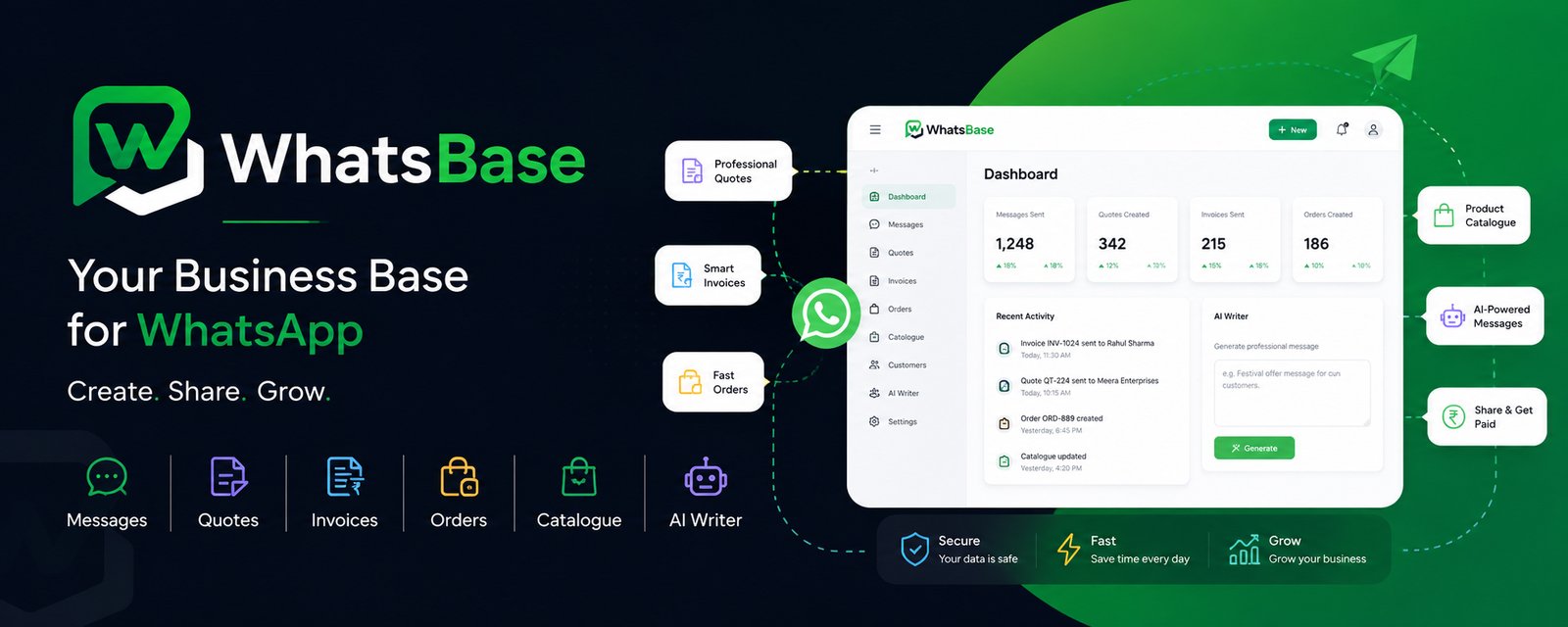
With WhatsBase, a business can use practical tools for activities such as:
Creating business messages
Preparing quotations
Creating invoices
Building catalogues
Managing orders
Creating payment requests
Sharing business cards
Generating promotional or customer messages
Sharing these business materials through WhatsApp
The value isn’t simply “sending something on WhatsApp.”
The value is making the business process behind the WhatsApp conversation easier to manage.
For example: an interior business
Instead of:
Enquiry → manual discussion → manually prepare quotation → find PDF → send → remember to follow up
the business can work toward:
Enquiry → understand requirement → create quotation → share on WhatsApp → follow up → convert
That is the kind of workflow small businesses should aim for.
Your customers are already having conversations with your business. WhatsBase helps you turn those conversations into organized business actions.
If your business receives enquiries, quotations, orders or customer requests through WhatsApp, it may be worth looking at where manual work is slowing the process down.
Talk to WhatsBase about your business workflow and explore what can be simplified.
WhatsApp Automation Doesn't Mean Automating Everything
This is an important distinction.
A customer doesn’t necessarily want to speak to a robot when they’re making a major purchase.
For a ₹500 product, automated product information may be enough.
For a ₹5 lakh interior project, the customer may want to speak to the owner or designer.
For a medical appointment, a reminder can be automated—but sensitive conversations may require a person.
For a custom manufacturing order, an automated acknowledgement is useful, but the actual requirements may need human discussion.
A good system therefore follows this principle:
Automate repetitive tasks. Keep important decisions human.
That creates efficiency without making the customer experience feel robotic.
Common WhatsApp Automation Mistakes Small Businesses Should Avoid
1. Sending too many messages
More messages do not automatically mean more sales.
Irrelevant promotional messages can damage customer trust.
2. Automating before understanding the process
Don’t automate a broken process.
First understand:
Enquiry → qualification → quotation → follow-up → conversion
Then decide what should be automated.
3. Making every message promotional
Customers don’t want an advertisement every time they open WhatsApp.
Useful information, updates and relevant follow-ups are often more valuable.
4. Forgetting the human handoff
Automation should make it easier for a customer to reach the right person when necessary.
5. Not organizing customer information
If 500 WhatsApp conversations exist but nobody knows which customers requested quotations, which customers bought, and which need follow-up, the business still has a problem.
6. Measuring activity instead of outcomes
Don’t focus only on:
Messages sent
Messages delivered
Messages read
Also consider:
Enquiries received
Quotations sent
Follow-ups completed
Orders generated
Customers reactivated
Revenue generated
Who Can Benefit From WhatsApp Business Automation?
WhatsApp automation can be particularly useful for small businesses that receive repeated customer enquiries.
Examples include:
Home and interior businesses:
Interior designers
Contractors
Modular kitchen businesses
Furniture stores
Home improvement services
Local services:
Salons
Repair services
Cleaning businesses
Tutors
Fitness businesses
Photographers
Event planners
Retail and trading:
Clothing businesses
Jewellery businesses
Electronics stores
Distributors
Wholesalers
Local retailers
Professional services:
Consultants
Agencies
Freelancers
Insurance and financial service businesses
Real estate professionals
The common factor isn’t the industry.
It’s the workflow:
Customers ask questions → business responds → quotation/order/service follows → customer needs follow-up.
A Simple Checklist: Is Your Business Ready for WhatsApp Automation?
Ask yourself:
Do customers frequently contact me on WhatsApp?
Do I sometimes forget to reply?
Do customers wait too long for quotations?
Do I have to answer the same questions repeatedly?
Do I manually create and send quotations?
Do I struggle to remember follow-ups?
Do I want to re-engage old customers?
Do I send catalogues or product information regularly?
Do I handle orders or payments through WhatsApp?
Do I want a more organized way to manage customer communication?
If you answered yes to several of these, there may be an opportunity to improve your WhatsApp workflow.
Why Businesses Choose WhatsBase?
WhatsBase is being built around a simple idea: small businesses shouldn’t need complicated software for everyday business tasks.
The platform focuses on practical business activities that can naturally connect with WhatsApp, including:
1. Simple business tools
Create useful business materials such as quotations, invoices, catalogues, orders and payment requests.
2. WhatsApp-first communication
Share business information where customers are already having conversations with you.
3. Built for small businesses
The focus is on practical workflows rather than overwhelming businesses with unnecessary complexity.
4. Useful content assistance
Businesses can create customer-facing and promotional messages more easily instead of starting every message from scratch.
5. One connected business workflow
The long-term value is bringing everyday business activities closer together instead of keeping them scattered across multiple tools.
Final Takeaway
WhatsApp can be much more than a place where customers ask:
“Price?”
and businesses reply:
“₹2,500.”
The real opportunity is to build a simple customer journey around those conversations.
Customer enquiry → quick response → useful information → quotation/order → follow-up → payment → repeat business.
WhatsApp provides an important communication layer for businesses, while tools and processes around it can help turn conversations into structured business activity. WhatsApp itself continues to expand business messaging capabilities, including tools for customer communication and selected AI-powered business features.
For a small business, the goal isn’t to automate everything.
The goal is to stop losing good opportunities because a reply, quotation or follow-up was forgotten.
That’s where a WhatsApp focused business workflow can create real value.
If your business already depends on WhatsApp for enquiries, customers and sales, WhatsBase can help you explore a simpler way to manage the business activities around those conversations.
Talk to WhatsBase about your requirements and see what you can simplify.
Frequently Asked Questions
What is WhatsApp automation for small businesses?
WhatsApp automation uses WhatsApp Business features or connected business tools to handle repetitive communication and workflows more efficiently. Examples include greetings, customer information, reminders, follow-ups, order communication and other repetitive tasks, while human employees continue handling conversations that require personal attention.
Can WhatsApp help small businesses get more customers?
Yes. WhatsApp can support several stages of the customer journey, including responding to enquiries, sharing product information, sending quotations, following up with prospects, taking orders and re-engaging existing customers. However, simply using WhatsApp does not guarantee more customers; the business still needs a useful offer and an effective sales process.
How can I follow up with customers on WhatsApp?
Start by identifying important stages where customers commonly stop responding—for example, after an enquiry or quotation. Create useful, appropriately timed follow-ups rather than repeatedly asking for an update. Where appropriate, businesses can use structured messaging or automation to make sure important follow-ups are not forgotten.
Is WhatsApp marketing the same as WhatsApp automation?
No. WhatsApp marketing focuses primarily on reaching and engaging customers with relevant promotions, announcements or other marketing communication. WhatsApp automation focuses on making repetitive communication and business workflows more efficient. The two can work together.
Is WhatsApp automation suitable for local businesses?
Yes. Local businesses often have frequent enquiries, repeat customers and geographically focused customer relationships, making WhatsApp a practical communication channel. Salons, interior businesses, retailers, repair services, consultants, contractors and many other local businesses can benefit when WhatsApp is connected to a structured customer process.
Can WhatsApp automation replace a salesperson?
Usually, it shouldn’t. Automation is most useful for repetitive tasks such as acknowledgements, basic information, reminders and workflow steps. Complex enquiries, negotiations and important customer decisions often still benefit from human interaction.
How can WhatsBase help my business?
WhatsBase is designed to help small businesses handle practical business activities such as quotations, invoices, catalogues, orders, payment requests and customer or promotional messages, with easy sharing through WhatsApp. The exact workflow depends on the business’s requirements.
Should every small business use WhatsApp automation?
No. Automation makes sense when a business has repetitive communication, frequent enquiries, follow-ups or administrative work that can be simplified. If your current process is already simple and efficient, sophisticated automation may not provide enough value.

WhatsBase
https://whatsbase.inWhatsBase is a simple business toolkit built for small and growing businesses. Create, manage and share the things that keep your business moving – all connected to WhatsApp.